WAV files offer great quality but they also require a lot of space and most mp3 players cannot play songs in wav format. That's why it's useful to be able to convert wav files to mp3.
In this tutorial I'm going to use Foobar and Lame Mp3 Encoder. Both software packages are free.
Let's get started...
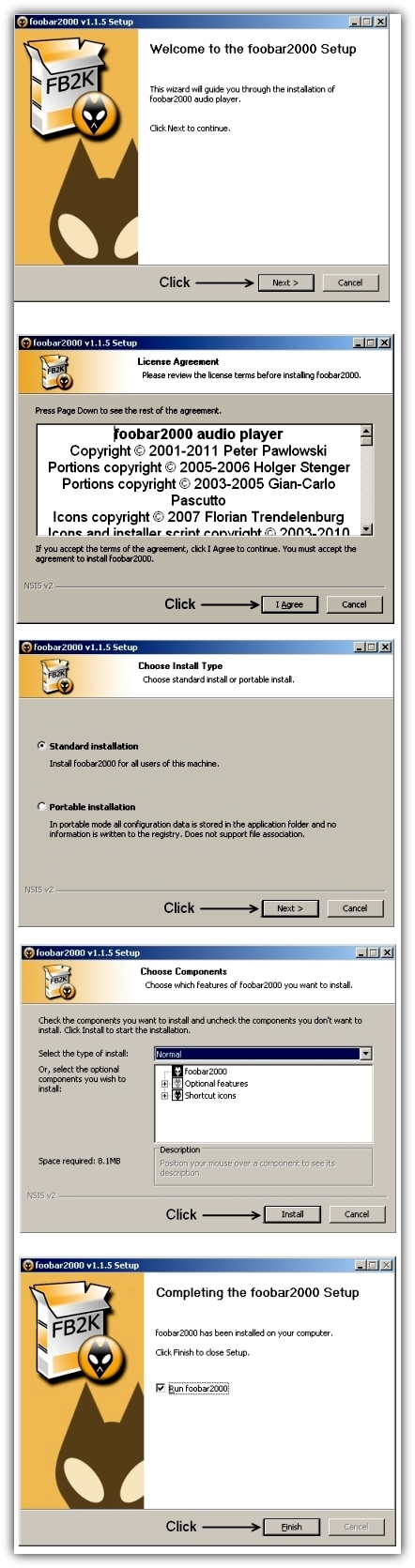
Step1. Install Foobar
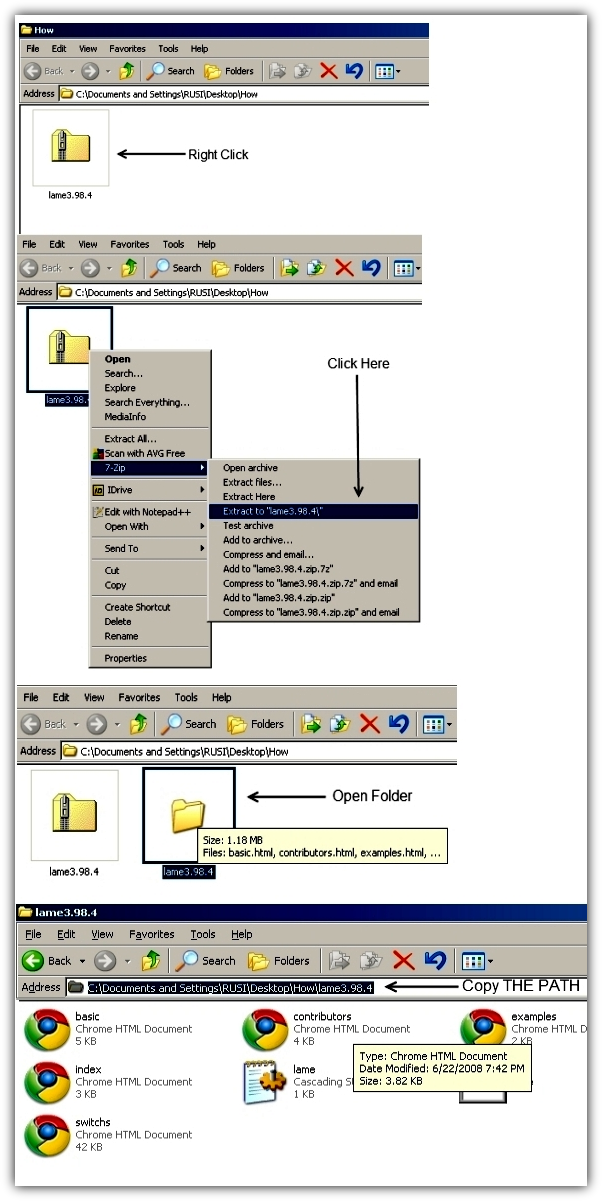
Step2. Extract Lame Mp3 Encoder And Copy The Path
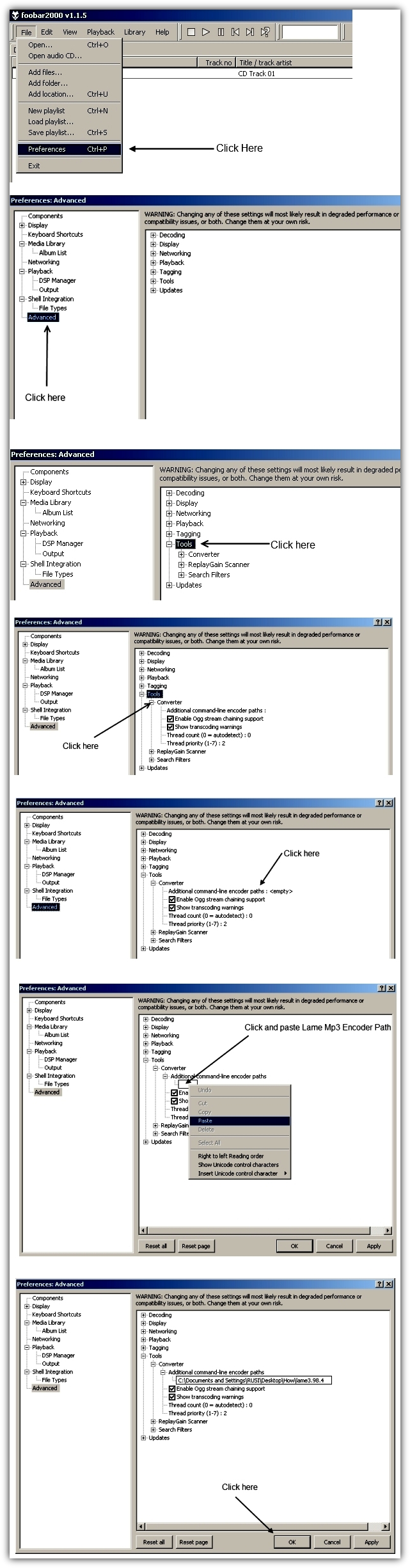
Step3. Open Foobar and Insert The Path Of Lame Mp3 Encoder
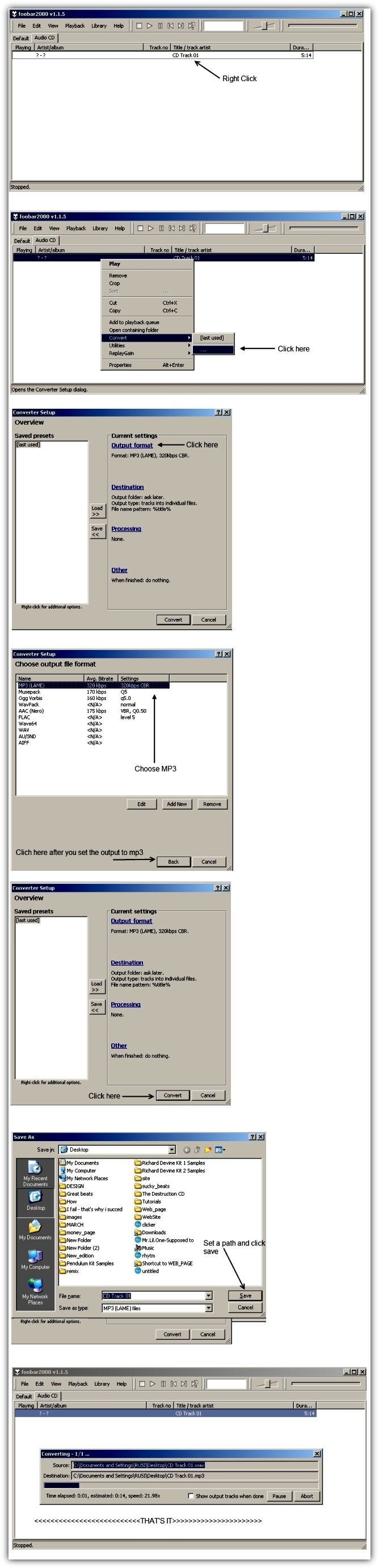
Step 4. Set the output format and convert your tracks to mp3
Additional Information:
Lame Mp3 Encoder comes in a zipped folfer. You will need a program like 7-zip in order to unzip the package.
How To Convert Wav Files To Mp3 With Foobar
You might also like...