From Wikipedia
Defragmentation is a process that reduces the amount of fragmentation in file systems. It does this by physically organizing the contents of the mass storage device to store files in a contiguous region if possible, or in the smallest possible number of regions (fragments) if not. It also attempts to create larger regions of free space using compaction to impede the return of fragmentation. Some defragmenters also try to keep smaller files within a single directory together, as they are often accessed in sequence.
The main goal of hard drive defragmentation is to speed-up your PC. However the built-in defragmentation program in Windows is super slow and unreliable in my opinion. That's why I recommend using external software such as Defraggler.
Step1: Download And Install Defraggler.
Step2: Open Defraggler And Analyze Your Hard Drives
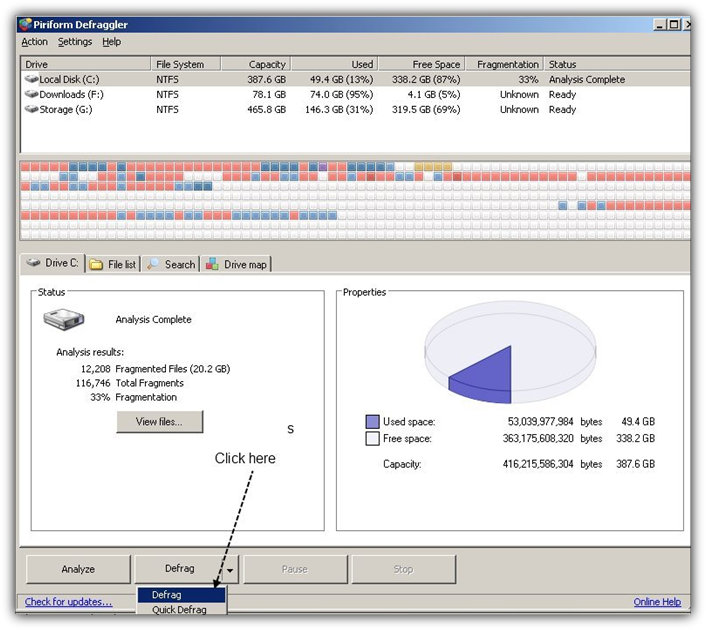
Step 3: Defragment Your Hard Drive If The Analysis Says You Have To
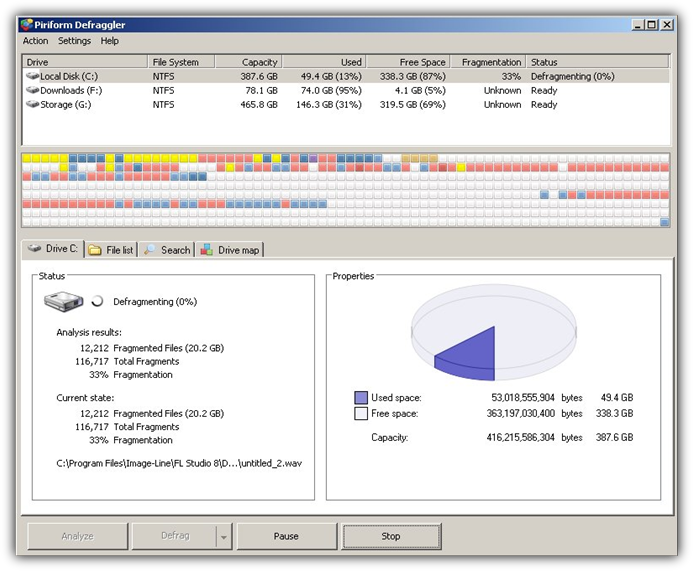
Step 4: Wait :)
That's it now you just have to wait. Keep in mind that you can pause the process if you want.
Maintain Your Hard Drive:
How To Defgragment Your Hard Drive Fast
You might also like...