Learn How To Clear Your Browsing History In Google Chrome Super Fast
Step1: Open Google Chrome
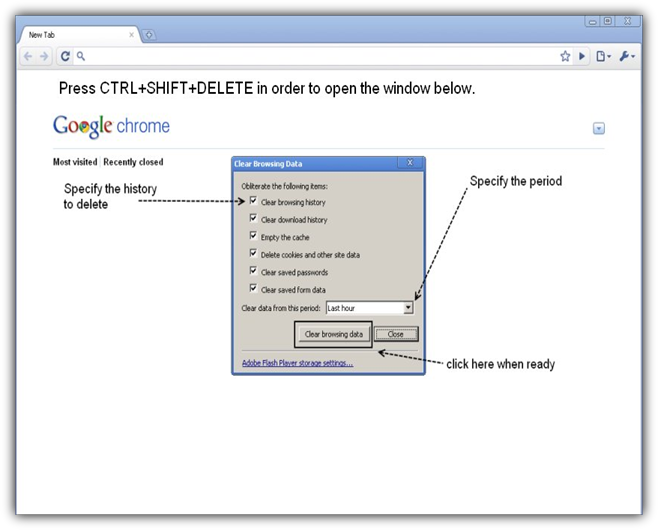
Step2: Press CTRL+SHIFT+DELETE at the same time. The Clear Browsing Data window will appear.
Step3: Adjust the settings according to your needs and click Clear Browsing Data.
That's it.
Don't Quit Watching Porn (unless you want to) Just Hide Yor Tracks
You might also like...