Make Windows XP More Stable By Opening Every Folder In A New Process
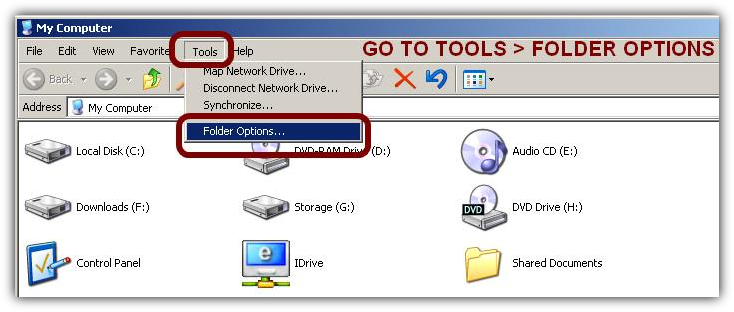
Step1: Open Windows Explorer or My Computer
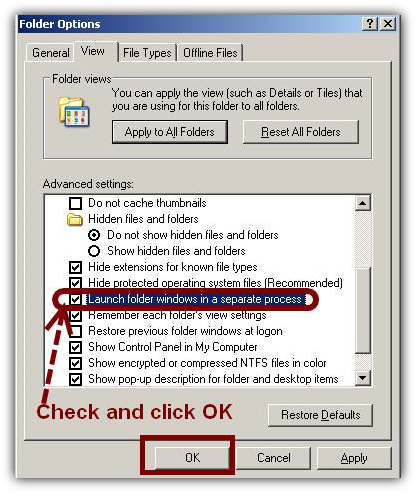
Step 3: Go to View And Check Launch folder windows in separate process
Step2: Go To Tools > Folder Options
That's it. Now your Windows should be a lot more stable.
Usually Windows Explorer opens all folders in one single process called explorer.exe. Windows XP allows you to run every folder in a separate process. This makes Windows more stable because you won't have to close all folders when only one of them crashes.
Here's how to do it.
You might also like...