Learn How To Recover Corrupted Files In OpenOffice.org
One time when I wrote a 103 pages document including a lot of pictures and translations in OpenOffice.org (one of my favorite free programs) I saved the file and closed it . After that I wasn't able to open it. I don't know why. Maybe the file was too big. It doesn't matter. At the end of the day I was in big trouble because that was 1 month of work. After trying everything I finally fixed it by using a very simple trick. Here it is.
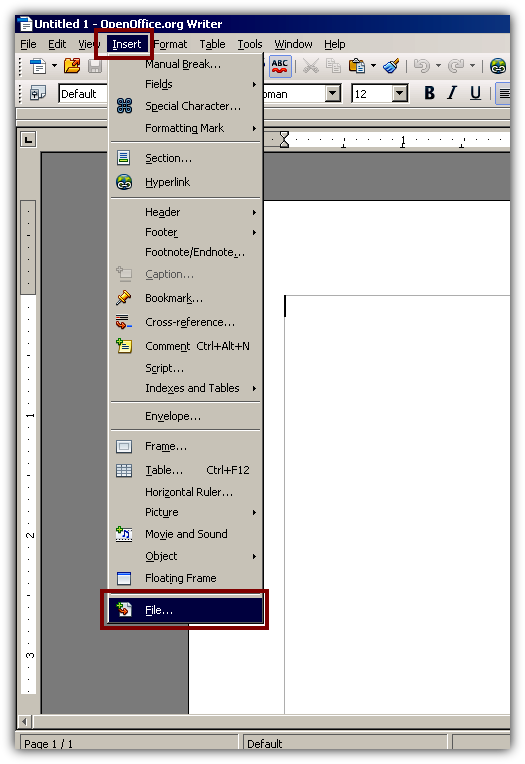
Step 1: Open OppenOffice.org and go to Insert > File
Step 2: Insert your file. According to my expereience this will load most of the corrupted files out there. Give it a try! There's nothing to lose.
If you have any questions or that particular method does not work for you post a comment.
You might also like...