Added On October 22, 2011
How To Convert Text To Speech Using TextAloud 3.0.31
by Rusi
Step 1: Download and Install TextAloud 3.0.31
Note: After you've finished the Intallation TextaAloud will start a configuration Wizzard. Complete the operations according to your preferences. Don't worry if you don't know something you can always go back and change the settings.
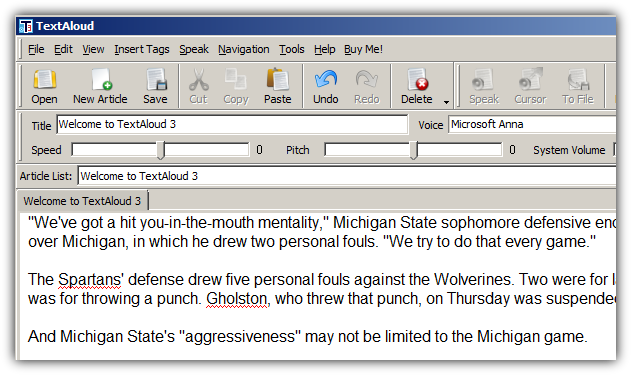
Step 2: Create a New Article and Insert Your Text Of Choice
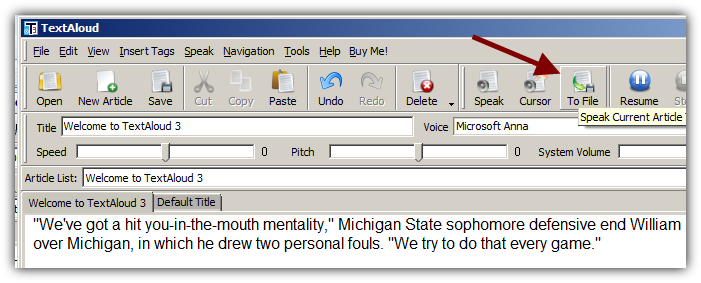
Step 3: Save Your Article To an Audio Files
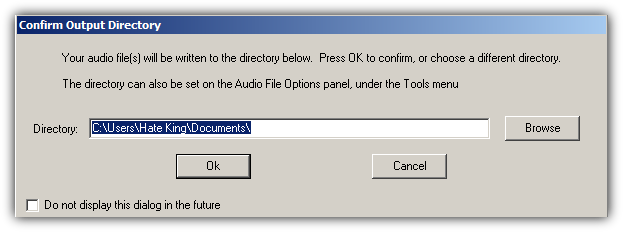
Enter a Location For Your New File
This is it. Your audio file can be found in the folder where you've saved it.
Disclaimer: Don't use this technique to convert your text files to mp3s and cheat at school using your mp3 player or phone.
You might also like...