Added On October 20, 2011
How To Change The Back-up Folder Of OpenOffce.org
by Rusi
Step 1
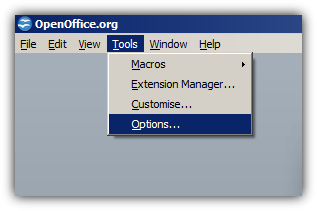
: Open Openoffice and Go To
Tools > Options
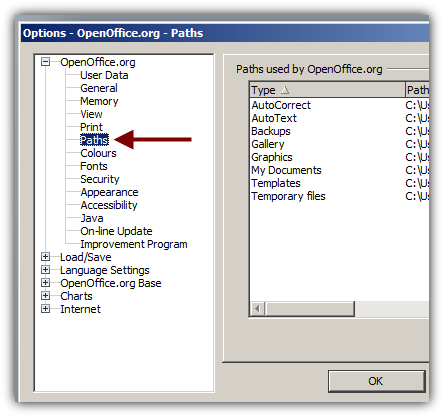
Step 2:
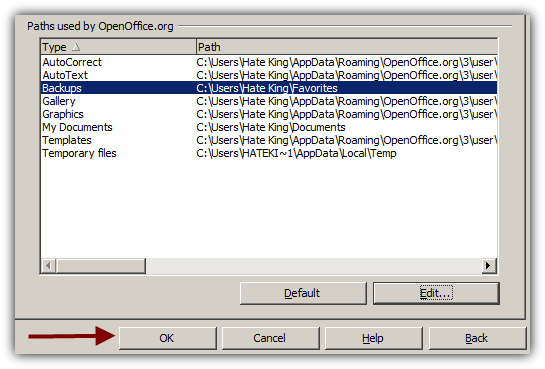
Choose Paths
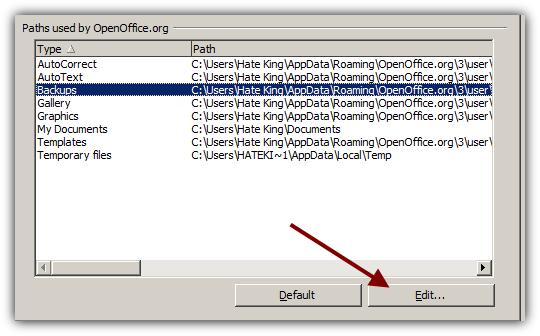
Step 3:
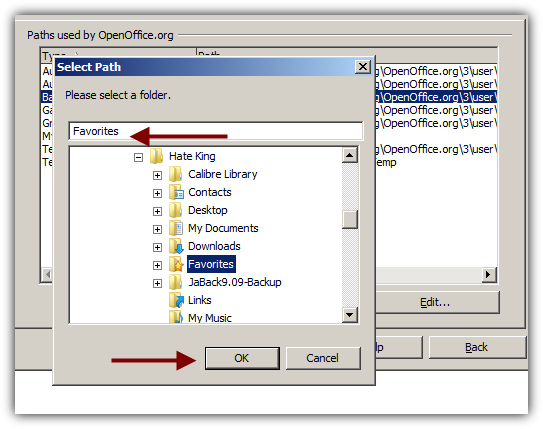
Go to Backups and Set a New Path
This is it.
How To Clean The Registry Of Your PC
How To Clear Your Browsing History In Google Chrome Super Fast
Remove All Unwanted Services And Speed up Your Windows
Remove All Unwanted Programs From Windows Start-up
How To Defgragment Your Hard Drive Fast
You might also like...
Share this article with your friends !
Post a comment!
Training & Life Tips
About
Contact
Forum
Powered by: